


VehicLogics: Android Car App


VehicLogics: Android Car App
Hey guys, so this has been my project for the past 6+ months. It was used as my thesis project for my Master's of Software Engineering degree as well.
I finally added in the licensing code and automated crash / bug report stuff the past few days, so now I was able to put in on the app store! :yay: It's my first Android app, and it was a lot of hard work, so I'm pretty proud of it.
So far it's been tested on a few different phones I have access to locally, and a few different OS versions through the emulator. All seems to work well so far. However, if you do come across any issues, please let me know and I'll resolve them as soon as possible and post a revision. I'd like to have you guys on here take it for a spin and test it out before I go and market it more broadly and on other forums, so I thank you in advance for your support!
It's similar to torque, I know. But it has some unique features, and I will be adding more as well. Plus, it's much cheaper at $0.99, how can you pass that up?? Mode 23 logging for Evo specific stuff is currently work in progress, I just need tephra's assistance for a few items. So stay tuned for that in a future update
So, here's the Google Play Store link: Get VehicLogics
and the app info!
and some screenshots:
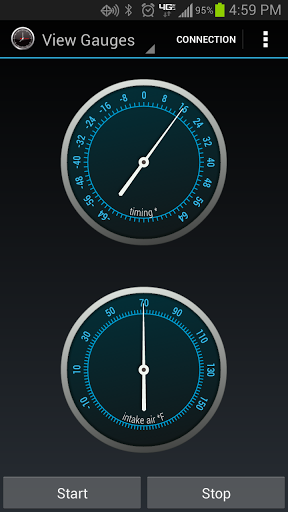
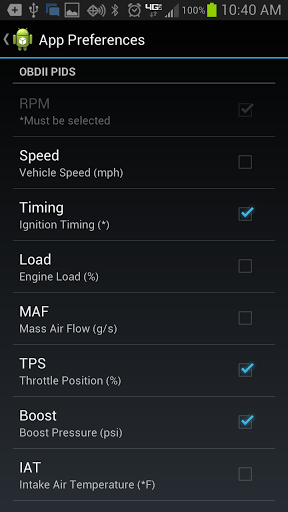
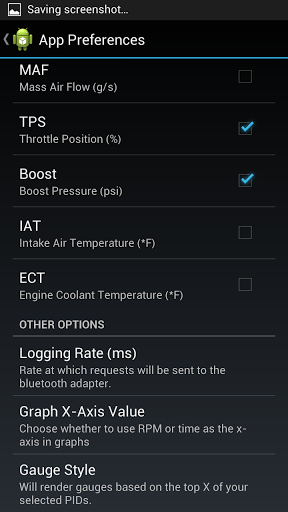
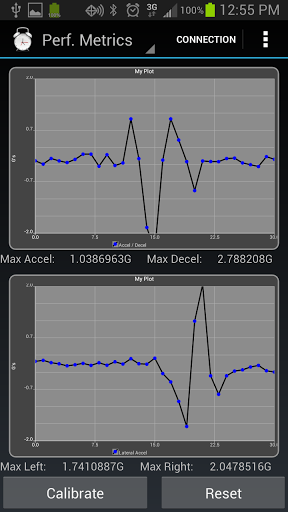
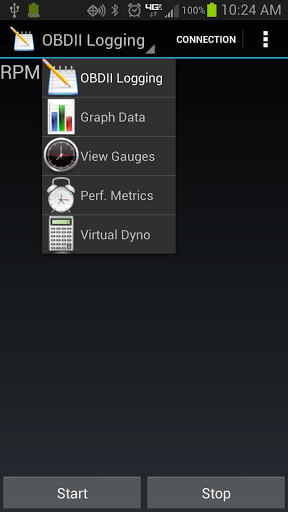
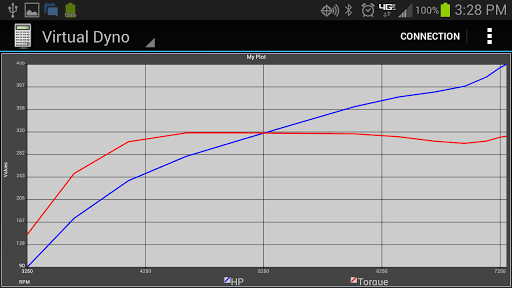
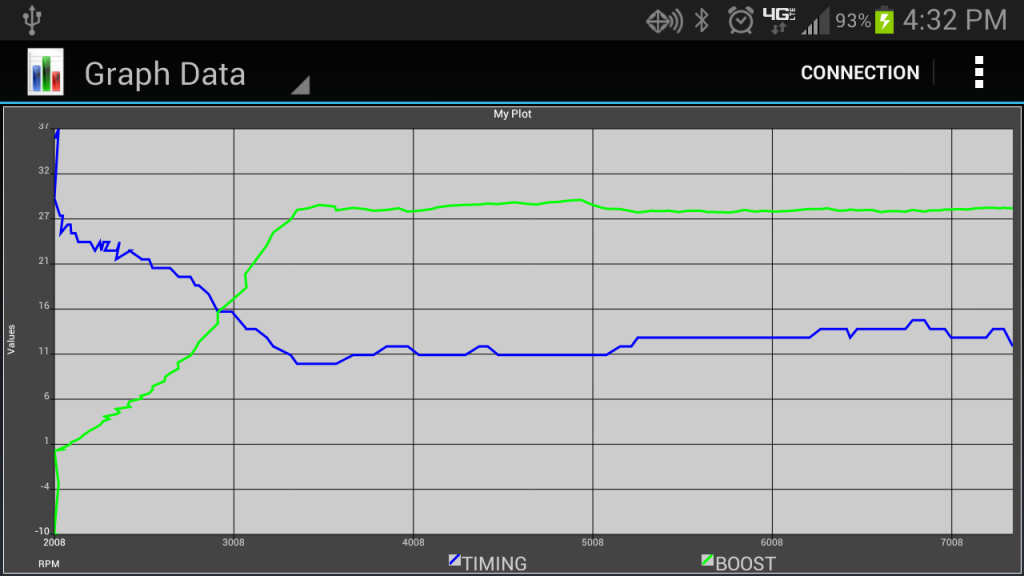
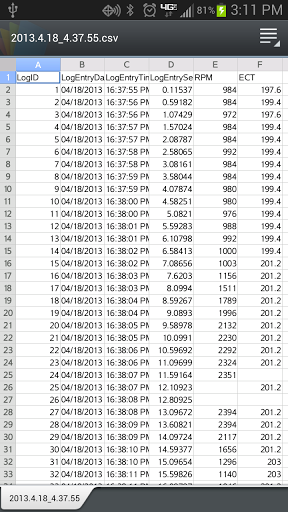
*CSV viewer not part of app currently, just used to show format of logs
I finally added in the licensing code and automated crash / bug report stuff the past few days, so now I was able to put in on the app store! :yay: It's my first Android app, and it was a lot of hard work, so I'm pretty proud of it.
So far it's been tested on a few different phones I have access to locally, and a few different OS versions through the emulator. All seems to work well so far. However, if you do come across any issues, please let me know and I'll resolve them as soon as possible and post a revision. I'd like to have you guys on here take it for a spin and test it out before I go and market it more broadly and on other forums, so I thank you in advance for your support!
It's similar to torque, I know. But it has some unique features, and I will be adding more as well. Plus, it's much cheaper at $0.99, how can you pass that up?? Mode 23 logging for Evo specific stuff is currently work in progress, I just need tephra's assistance for a few items. So stay tuned for that in a future update
So, here's the Google Play Store link: Get VehicLogics
and the app info!
Monitor, track, and gauge your car's performance in realtime! View gauges, save logs, graph data, calculate horsepower, and more! Compatible with all OBDII (OBD 2) compliant vehicles. VehicLogics connects to your car via any Bluetooth OBDII adapter.
Features include:
A Bluetooth OBDII (OBD2 ELM327) adapter is required for most of the functionality of this application. It is a small adapter that plugs in usually under your vehicle's steering wheel. Many different adapters exist, and some provide better performance than others. Even the cheapest adapters will work with this application, however the logging rate may be slower. Ebay and Amazon both have many for sale, ranging from cheap to $100+. The PLX Kiwi and the OBDLink MX Scan Tool will provide you with the best performance and logging rate.
Additional PID's for logging and vehicle specific PID's will be released in the future.
Features include:
* Display data as realtime gauges
* Run performance metrics:
* Horsepower and torque calculations!
* Log and record vehicle performance information including boost, intake temp, timing, load, and many more!
* Save and view logs in .csv format
* Graph saved data
VehicLogics works with any OBDII compliant vehicle. This includes most made after 1996 and all made after 2000. It works on vehicles of all makes including Acura, Audi, BMW, Cadillac, Chevrolet, Dodge, Eagle, Ford, Holden, Honda, Hyundai, Infiniti, Mazda, Mini, Mitsubishi, Nissan, Porsche, Saab, Saturn, Scion, Toyota, Volkswagen, Volvo, and many more!* Run performance metrics:
- Acceleration: 0-60mph, 0-100mph, 40-100mph, 60-130mph
- Braking: 60-0mph, 100-0mph
- Distance: 1/8 mile, 1/4 mile (times and trap speeds!)
* G-force meter: measure the G-forces your car exerts in acceleration, braking, and cornering!- Braking: 60-0mph, 100-0mph
- Distance: 1/8 mile, 1/4 mile (times and trap speeds!)
* Horsepower and torque calculations!
* Log and record vehicle performance information including boost, intake temp, timing, load, and many more!
* Save and view logs in .csv format
* Graph saved data
A Bluetooth OBDII (OBD2 ELM327) adapter is required for most of the functionality of this application. It is a small adapter that plugs in usually under your vehicle's steering wheel. Many different adapters exist, and some provide better performance than others. Even the cheapest adapters will work with this application, however the logging rate may be slower. Ebay and Amazon both have many for sale, ranging from cheap to $100+. The PLX Kiwi and the OBDLink MX Scan Tool will provide you with the best performance and logging rate.
Additional PID's for logging and vehicle specific PID's will be released in the future.


*CSV viewer not part of app currently, just used to show format of logs
Last edited by jyamona; Jul 12, 2013 at 09:34 AM.


Also, since difference w/ torque seem to be a sticking point with a lot of people:
The logs my app takes are of the same exact format as EvoScan, which I can't say the same for Torque. You can't graph your saved logs in Torque, which my app also does. Torque free does not have any of the same performance metrics. My app can measure the following: 0-60mph, 0-100mph, 40-100mph, 60-130mph for acceleration, 60-0mph and 100-0mph for braking, 1/8 mile and 1/4 mile trap speeds and EYs. Also, I feel my G-force meter implementation and overall UI of the app are much nicer and cleaner. The HP / TQ calcs are also almost spot on with VD for the evo x (3rd gear only right now, need to make this customizable in the future). Plus, Evo specific logging is going to be added.
The logs my app takes are of the same exact format as EvoScan, which I can't say the same for Torque. You can't graph your saved logs in Torque, which my app also does. Torque free does not have any of the same performance metrics. My app can measure the following: 0-60mph, 0-100mph, 40-100mph, 60-130mph for acceleration, 60-0mph and 100-0mph for braking, 1/8 mile and 1/4 mile trap speeds and EYs. Also, I feel my G-force meter implementation and overall UI of the app are much nicer and cleaner. The HP / TQ calcs are also almost spot on with VD for the evo x (3rd gear only right now, need to make this customizable in the future). Plus, Evo specific logging is going to be added.
Bought yesterday and very briefly tried to log today on the way to work with my ELM adapter. I connected to the adapter but it gave me a logging error when I pressed Start.
Trending Topics

Hey man, it seems it is a weird bug w/ certain OBD2 adapters. I will get it worked out. In the mean time, it seems like if you are on the logging screen for example, and you hit start...the first time it will keep giving you the response read errors. Hit stop and wait a bit for the message to disappear (it may take a bit). Then try starting again. A local has the same adapter and I got it logging and getting data to the gauges in this manner. I'll hopefully have the initial "response read error" sorted this week.
Also, go into the app preferences and scroll to the bottom
Select logging rate and try setting it to a higher number. Its in ms, so 1000 would be 1 second. Try that out and report back. Some adapters will give READ errors if you are making requests too fast (depends on the wuality of your adapter) I still am working on an auto detect logging rate feature.
Select logging rate and try setting it to a higher number. Its in ms, so 1000 would be 1 second. Try that out and report back. Some adapters will give READ errors if you are making requests too fast (depends on the wuality of your adapter) I still am working on an auto detect logging rate feature.


