Notices
ECU Flash

help reading rom

Thread Tools
 
Search this Thread
 
Old Dec 13, 2008 | 03:26 PM
  #31  
burgers22's Avatar
Evolved Member
 
Joined: Jan 2006
Posts: 953
Likes: 2
From: Oxfordshire
Deepden posted the zip file a couple of posts up. You need to down load that, then unzip the two files, tyhe xml goes in your C:\Program Files\OpenECU\EcuFlash\rommetadata\mitsubishi\evo The hex file can go where ever you keep your hex files

Not being funny, but if you're having trouble with this operation, maybe you should wait a bit before tuning your car yourself and just get comfortable with using the programs.

MB
Reply
Old Dec 13, 2008 | 04:23 PM
  #32  
infini_IV's Avatar
Thread Starter
Evolving Member
15 Year Member
iTrader: (4)
 
Joined: Nov 2008
Posts: 171
Likes: 0
From: Forever with BIG
problem is when ever i extract a downloaded file there is only ever 1 file in it? not 2

tuning the car i have no problem with ive spent many hours tunning with microtechs etc. i just cant read my rom image or do anything with ecuflash
Reply
Old Dec 13, 2008 | 09:48 PM
  #33  
fixem2's Avatar
Evolved Member
iTrader: (30)
 
Joined: Dec 2003
Posts: 929
Likes: 0
From: USA
Are you using Windows for the zip extraction? Use WINRAR to open the 1 file you see. I am wondering if this will help extract the 2 files.
Reply
Old Dec 13, 2008 | 10:48 PM
  #34  
infini_IV's Avatar
Thread Starter
Evolving Member
15 Year Member
iTrader: (4)
 
Joined: Nov 2008
Posts: 171
Likes: 0
From: Forever with BIG
i am using winrar to extract.

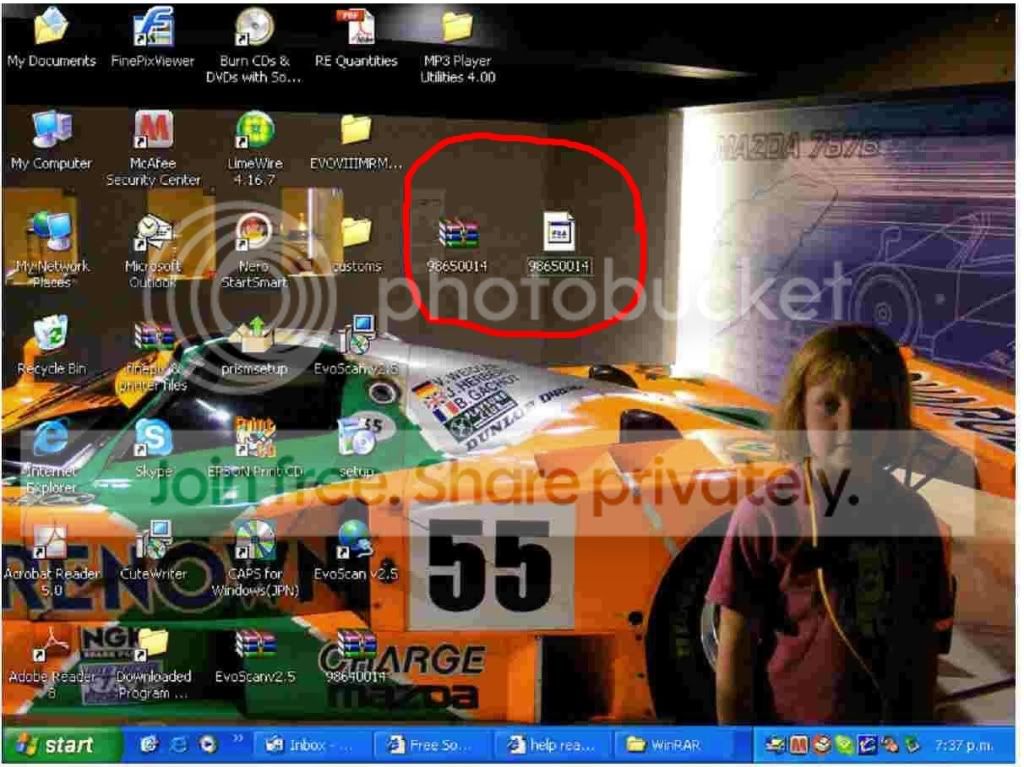
here is a screen shot of what i get when i download the file posted earlier and extract it

Reply
Old Dec 14, 2008 | 12:31 AM
  #35  
fixem2's Avatar
Evolved Member
iTrader: (30)
 
Joined: Dec 2003
Posts: 929
Likes: 0
From: USA
Use WINRAR to extract the unidentified file again. Use the open command and point to WINRAR.
Reply
Old Dec 14, 2008 | 12:56 AM
  #36  
infini_IV's Avatar
Thread Starter
Evolving Member
15 Year Member
iTrader: (4)
 
Joined: Nov 2008
Posts: 171
Likes: 0
From: Forever with BIG
Originally Posted by fixem2
Use WINRAR to extract the unidentified file again. Use the open command and point to WINRAR.
all i get if i do that is the same unidetified file but this time in a folder??? how is everyone else getting 2 files out of this?
Reply
Old Dec 14, 2008 | 01:10 AM
  #37  
fixem2's Avatar
Evolved Member
iTrader: (30)
 
Joined: Dec 2003
Posts: 929
Likes: 0
From: USA
Try this. I have attached each file individually as a zip and labelled accordingly.
Attached Files
File Type: zip
98640014_hex.zip (92.0 KB, 4 views)
File Type: zip
98640014_xml.zip (3.2 KB, 4 views)
Reply
Old Dec 14, 2008 | 01:14 AM
  #38  
infini_IV's Avatar
Thread Starter
Evolving Member
15 Year Member
iTrader: (4)
 
Joined: Nov 2008
Posts: 171
Likes: 0
From: Forever with BIG
Originally Posted by fixem2
Try this. I have attached each file individually as a zip and labelled accordingly.
ok thanks i have extracted each one what shall i do with each one as far as placing them goes????
Reply
Old Dec 14, 2008 | 01:18 AM
  #39  
fixem2's Avatar
Evolved Member
iTrader: (30)
 
Joined: Dec 2003
Posts: 929
Likes: 0
From: USA
Originally Posted by burgers22
Deepden posted the zip file a couple of posts up. You need to down load that, then unzip the two files, tyhe xml goes in your C:\Program Files\OpenECU\EcuFlash\rommetadata\mitsubishi\evo The hex file can go where ever you keep your hex files

MB
Follow the above instructions by burgers22.
Reply
Old Dec 14, 2008 | 01:21 AM
  #40  
infini_IV's Avatar
Thread Starter
Evolving Member
15 Year Member
iTrader: (4)
 
Joined: Nov 2008
Posts: 171
Likes: 0
From: Forever with BIG
ok i have moved the xml file to that directory and just left the other on my desktop, but when i open ecuflash and then hit the "open rom" it directs me to the evo folder but there is nothing there?? yet if i manually go to that directory there is heaps of .xml files of all sorts of rom id numbers???
Reply
Old Dec 14, 2008 | 01:26 AM
  #41  
fixem2's Avatar
Evolved Member
iTrader: (30)
 
Joined: Dec 2003
Posts: 929
Likes: 0
From: USA
Can you post a screen shot of what Ecufalsh is showing when it sends you to the evo folder?
Reply
Old Dec 14, 2008 | 01:28 AM
  #42  
infini_IV's Avatar
Thread Starter
Evolving Member
15 Year Member
iTrader: (4)
 
Joined: Nov 2008
Posts: 171
Likes: 0
From: Forever with BIG
this is what i get if i manually go to that directory

Reply
Old Dec 14, 2008 | 01:29 AM
  #43  
infini_IV's Avatar
Thread Starter
Evolving Member
15 Year Member
iTrader: (4)
 
Joined: Nov 2008
Posts: 171
Likes: 0
From: Forever with BIG
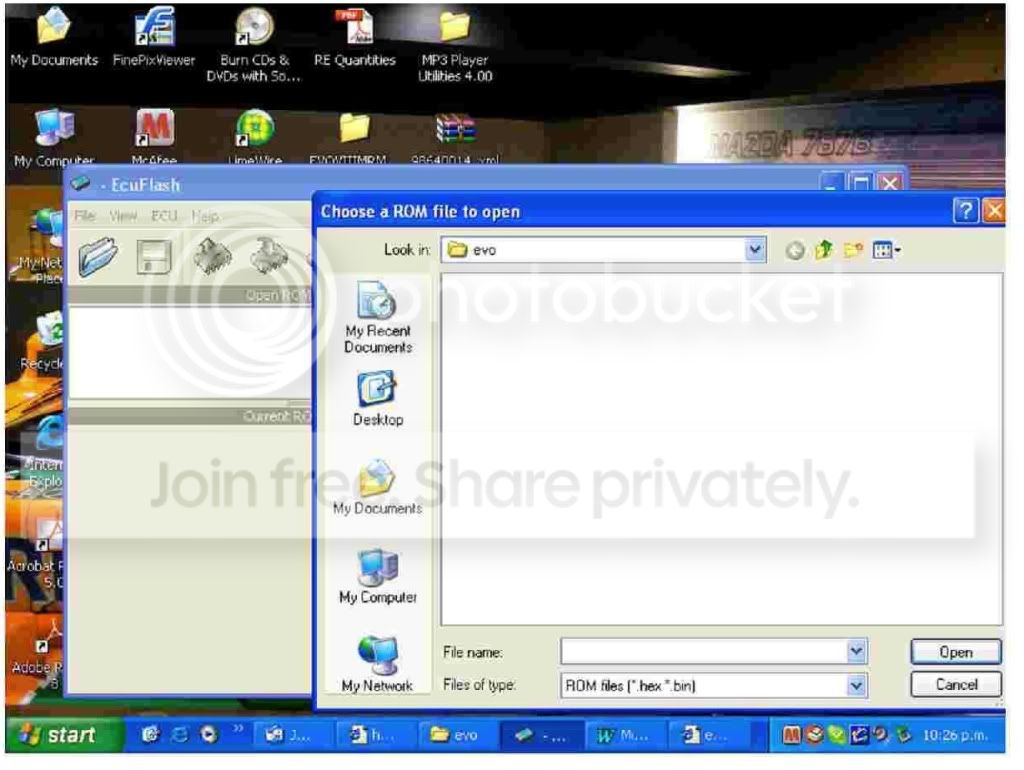
and this is what comes up when i try to open via ecuflash

Reply
Old Dec 14, 2008 | 01:39 AM
  #44  
fixem2's Avatar
Evolved Member
iTrader: (30)
 
Joined: Dec 2003
Posts: 929
Likes: 0
From: USA
You need to point that to the ROM or hex file. You are looking at the xml files in the evo folder. Make sure the xml file of your rom is in the evo folder. For the hex file, even though it points you to the evo folder, you need to point it to where you stored the hex folder. Make sense.
Reply
Old Dec 14, 2008 | 01:44 AM
  #45  
infini_IV's Avatar
Thread Starter
Evolving Member
15 Year Member
iTrader: (4)
 
Joined: Nov 2008
Posts: 171
Likes: 0
From: Forever with BIG
ok i point it to my hex file that i left on my desktop and try to open it and it gives me the "unknown rom image ecuflash could not recognize the rom image using any of the current definitions" and then 2 options= abort or use wizard to create new definition???
Reply


All times are GMT -7. The time now is 03:35 AM.