


EvoScan MAP Tracer


Thread Starter
Newbie
Joined: Aug 2009
Posts: 23
Likes: 1
From: UK
 EvoScan MAP Tracer
Can someone please explain, step by step how I can use MAP Tracer with EvoScan v2.6, I have read a few threads on the matter, but they are more confusing than anything else.
Anyone have a step by step guide on how to get it all set up?
Cheers!
Anyone have a step by step guide on how to get it all set up?
Cheers!
Thread Starter
Newbie
Joined: Aug 2009
Posts: 23
Likes: 1
From: UK
Right, been having a read & a fiddle, but I'm stuck! When I go to view MAP tracer it asks me to load a log, when I do so I get the following....
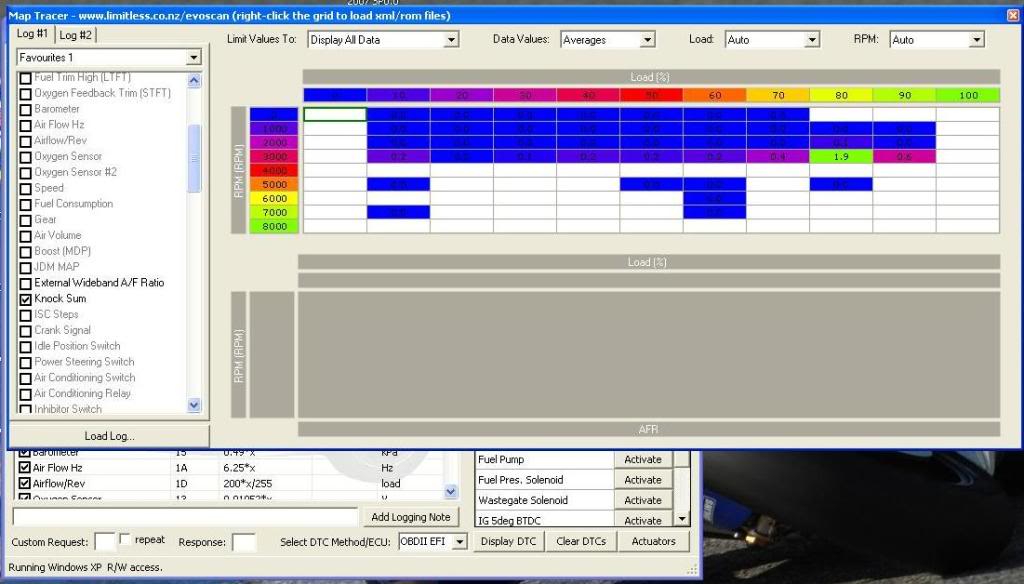
then I right click the grey box below to load a hex file....
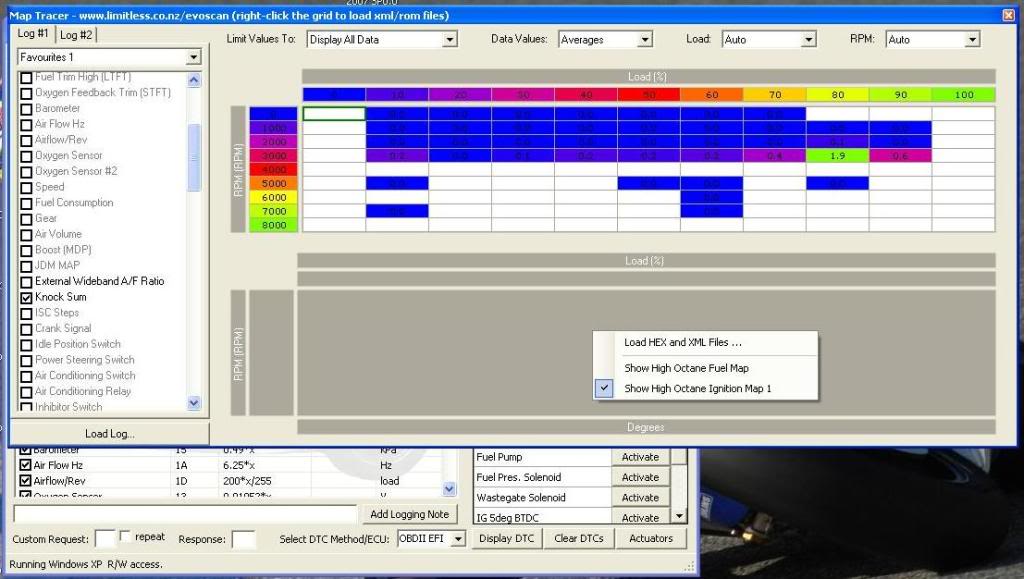
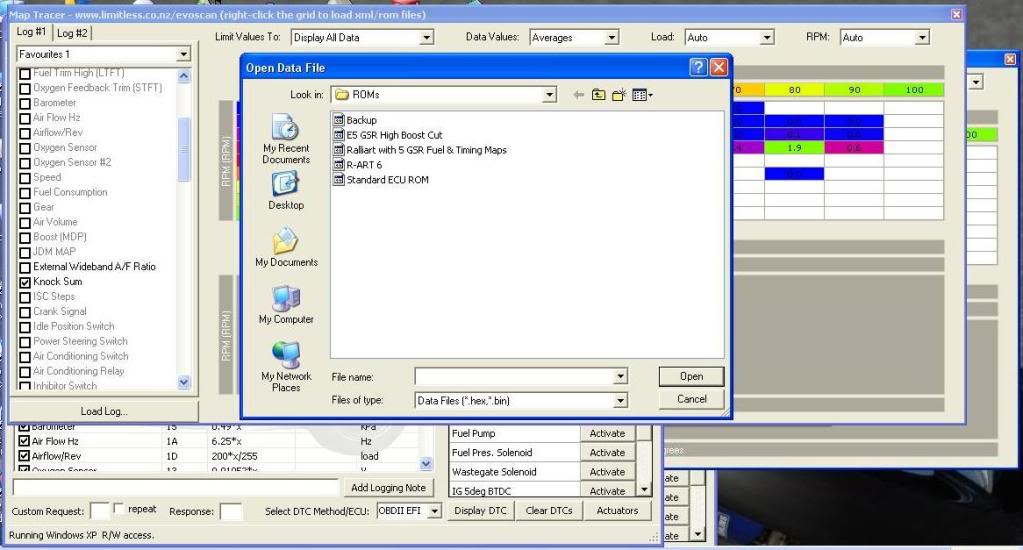
After loading the hex file all I get is the following....
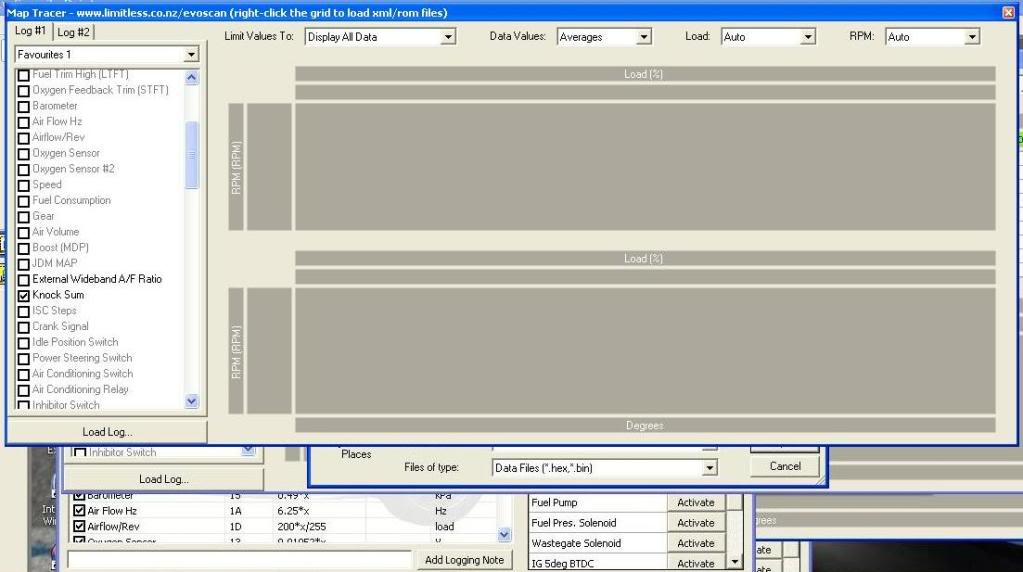
From then on, that's all I get, even if I re-load the log or a different hex file, just stays like that. Anyone got any ideas??
Cheers!
then I right click the grey box below to load a hex file....
After loading the hex file all I get is the following....
From then on, that's all I get, even if I re-load the log or a different hex file, just stays like that. Anyone got any ideas??
Cheers!

I have never had any luck with map tracer, and it sucks, because it can be extremely helpful. There's many others who have had great success with map tracer. Not sure what the difference is though. Sorry- I'm along with you.


Newbie
Joined: Jan 2009
Posts: 55
Likes: 0
From: Long Beach, CA
HermaN none of the roms up there end in .bin or .hex therefore they won't show up when you try to load them into maptracer. You need to save your roms with .bin or .hex in order for them to work with maptracer or ecuflash for that matter. And lan_evo_mr9 try opening your log in the regular graph view in evoscan and then click on the map tracer icon at the bottom and see if it works for you.
Trending Topics


Evolving Member
Joined: Feb 2008
Posts: 214
Likes: 1
From: South Africa
I had a similar problem and here is how I got map tracer to work.
First off I logged with 2byte load, 1byte load won't log for me.
Then I copied the XML file, which correspond to my ROM ID, from the ECUFlash folder
C:\Program Files\OpenECU\EcuFlash\rommetadata\mitsubishi\evo
in my case it was the "TephraMOD-96530706-v7t6.xml" file
to the Evoscan ROM folder.
C:\Program Files\EvoScan\EvoScan v2.XX\ROM.
works like a charm after doing that.
good luck
First off I logged with 2byte load, 1byte load won't log for me.
Then I copied the XML file, which correspond to my ROM ID, from the ECUFlash folder
C:\Program Files\OpenECU\EcuFlash\rommetadata\mitsubishi\evo
in my case it was the "TephraMOD-96530706-v7t6.xml" file
to the Evoscan ROM folder.
C:\Program Files\EvoScan\EvoScan v2.XX\ROM.
works like a charm after doing that.
good luck
Last edited by SeanV; Aug 28, 2009 at 03:45 AM.

Evolving Member
Joined: Sep 2005
Posts: 109
Likes: 0
From: Va Beach, VA
In version 2.6b* you need to load whatever file you are actually running in the car. As example, I save most of my tephra mod tunes as nlts and whatever the version is, i.e 4.1, 5.10, etc. So if I'm running nlts4.1.hex, I need to load that file as my rom/hex file in Maptracer. With version 2.6b* you only need to load that one file. You do not have to load your rom's xml and hex files separately any longer.
Last edited by StreetEvo; Aug 28, 2009 at 06:18 AM.
Thread Starter
Newbie
Joined: Aug 2009
Posts: 23
Likes: 1
From: UK
I had a similar problem and here is how I got map tracer to work.
First off I logged with 2byte load, 1byte load won't log for me.
Then I copied the XML file, which correspond to my ROM ID, from the ECUFlash folder
C:\Program Files\OpenECU\EcuFlash\rommetadata\mitsubishi\evo
in my case it was the "TephraMOD-96530706-v7t6.xml" file
to the Evoscan ROM folder.
C:\Program Files\EvoScan\EvoScan v2.XX\ROM.
works like a charm after doing that.
good luck
First off I logged with 2byte load, 1byte load won't log for me.
Then I copied the XML file, which correspond to my ROM ID, from the ECUFlash folder
C:\Program Files\OpenECU\EcuFlash\rommetadata\mitsubishi\evo
in my case it was the "TephraMOD-96530706-v7t6.xml" file
to the Evoscan ROM folder.
C:\Program Files\EvoScan\EvoScan v2.XX\ROM.
works like a charm after doing that.
good luck

I'm logging the following.....
TPS, RPM, battery, timing advance, inj pulse width, inj duty cycle, ECUload, load calc, octaneflag, AFR MAP & external wideband.
In version 2.6b* you need to load whatever file you are actually running in the car. As example, I save most of my tephra mod tunes as nlts and whatever the version is, i.e 4.1, 5.10, etc. So if I'm running nlts4.1.hex, I need to load that file as my rom/hex file in Maptracer. With version 2.6b* you only need to load that one file. You do not have to load your rom's xml and hex files separately any longer.
Last edited by HermaN; Aug 28, 2009 at 06:25 AM.
Thread Starter
Newbie
Joined: Aug 2009
Posts: 23
Likes: 1
From: UK
The full version (newest one). Have uninstalled & reinstalled it twice now with no luck. Does it install any registery values? I had a look so I could delete them if there was, because when uninstalling & reinstalling it stays like that, I have to load an XML instead of a ROM, then it asks for the XML because it obv doesn't recognise the XML I gave it when it wanted a ROM, then when I re-load my log I can get the first screenshot up again.
So I'm thinking there must be registery values if an uninstall doesn't make it forget. Where are they, so I can uninstall & delete them then do a fresh install?
Cheers!
EDIT: Found the registeries, uninstalled EvoScan, deleted the registeries. Turned off PC for 10 mins, turned back on, re-installed EvoScan, put in my e-mail addy & serial no, let me in. Then when I went to MAP tracer I still had 2 grey tables, as if it still remembered from the previous install!!
WHAT'S GOING ON?!?!?!
So I'm thinking there must be registery values if an uninstall doesn't make it forget. Where are they, so I can uninstall & delete them then do a fresh install?
Cheers!
EDIT: Found the registeries, uninstalled EvoScan, deleted the registeries. Turned off PC for 10 mins, turned back on, re-installed EvoScan, put in my e-mail addy & serial no, let me in. Then when I went to MAP tracer I still had 2 grey tables, as if it still remembered from the previous install!!
WHAT'S GOING ON?!?!?!
Last edited by HermaN; Aug 28, 2009 at 09:33 AM.

https://www.evolutionm.net/forums/7078367-post16.html
Make sure everything is properly defined for your rom, and as minimalistically as possible.
Make sure everything is properly defined for your rom, and as minimalistically as possible.