


PATCH: NLTS + Valet + KnockCEL


OK the settings are INDEED self explanitory but I still wanted other peoples settings to see what's up so I'll just post mine in order.

Above is a Simple screan shot of my settings. There are 9 boxes that I checked off and 9 boxes with settings in each. I listed the boxes starting from left going to right in columns from top to bottom. Well do this by the Numbers.
Above is a Simple screan shot of my settings. There are 9 boxes that I checked off and 9 boxes with settings in each. I listed the boxes starting from left going to right in columns from top to bottom. Well do this by the Numbers.
- The 1st box is the Tephra mod options, all set to 65535 which seems to be some sort of default number. I was led to believe that any number above 0 activates these mods so leaving them at 65535 will obviously activate them.
- Knock Sum. Simple enough set to 3.
- Load required? No idea I just left it alone as it came, "2..." whatever that is.
- CEL on Knock Flash Time. Set in Mili-seconds so I set 10000 or 10 seconds
- Valet Rev Limit. 3000, simple enough to keep junior outa the boost.
- Valet Rev Limit Time to Activate. Again 10000 Mili-seconds or 10 seconds. This mod is activated by setting the ignition key to "ACC" or Accessories and then flooring it for 10 seconds. After this RPMS will refuse to go past 3000 rpms. I bet this would really help out MPG.
- NLTS RPM DROP. I set mine to 1200, seems like a proper setting to me.
- NLTS TPS Threshold. I set mine to 95%, seems good enough and will probably take a couple 10th's off if done right.
- NLTS Speed Threshold. Set it to the reccomended 30KMH, or what 18MPH?
You are not using the correct map. You have to select the correct tephra map and then cut and paste your settings into it.
65535 means the feature does NOT exist in the map

OK the settings are INDEED self explanatory but I still wanted other people’s settings to see what's up so I'll just post mine in order.
Above is a Simple screen shot of my settings. There are 9 boxes that I checked off and 9 boxes with settings in each. I listed the boxes starting from left going to right in columns from top to bottom. Well do this by the Numbers.
1. The 1st box is the Tephra mod options, all set to 65535 which seems to be some sort of default number. I was led to believe that any number above 0 activates these mods so leaving them at 65535 will obviously activate them.
2. Knock Sum. Simple enough set to 3.
3. Load required? No idea I just left it alone as it came, "2..." whatever that is.
4. CEL on Knock Flash Time. Set in Mili-seconds so I set 10000 or 10 seconds
5. Valet Rev Limit. 3000, simple enough to keep junior outa the boost.
6. Valet Rev Limit Time to Activate. Again 10000 Mili-seconds or 10 seconds. This mod is activated by setting the ignition key to "ACC" or Accessories and then flooring it for 10 seconds. After this RPMS will refuse to go past 3000 RPMS. I bet this would really help out MPG.
7. NLTS RPM DROP. I set mine to 1200, seems like a proper setting to me.
8. NLTS TPS Threshold. I set mine to 95%, seems good enough and will probably take a couple 10th's off if done right.
9. NLTS Speed Threshold. Set it to the recommended 30KMH, or what 18MPH?
Above is a Simple screen shot of my settings. There are 9 boxes that I checked off and 9 boxes with settings in each. I listed the boxes starting from left going to right in columns from top to bottom. Well do this by the Numbers.
1. The 1st box is the Tephra mod options, all set to 65535 which seems to be some sort of default number. I was led to believe that any number above 0 activates these mods so leaving them at 65535 will obviously activate them.
2. Knock Sum. Simple enough set to 3.
3. Load required? No idea I just left it alone as it came, "2..." whatever that is.
4. CEL on Knock Flash Time. Set in Mili-seconds so I set 10000 or 10 seconds
5. Valet Rev Limit. 3000, simple enough to keep junior outa the boost.
6. Valet Rev Limit Time to Activate. Again 10000 Mili-seconds or 10 seconds. This mod is activated by setting the ignition key to "ACC" or Accessories and then flooring it for 10 seconds. After this RPMS will refuse to go past 3000 RPMS. I bet this would really help out MPG.
7. NLTS RPM DROP. I set mine to 1200, seems like a proper setting to me.
8. NLTS TPS Threshold. I set mine to 95%, seems good enough and will probably take a couple 10th's off if done right.
9. NLTS Speed Threshold. Set it to the recommended 30KMH, or what 18MPH?
That should help you out...
~Z


WHAT? Now I am confused once again. What MAP? I thought this was just a patch that edited my current map? I followed every step, downloaded the patch to my map, edited the tables so that the Tephra mods came up, and now they won't work? It said "Download your ROM patch as shown below". That's what I did.
I'm really lost now.

Last edited by High_PSI; Dec 4, 2007 at 09:26 PM.

Thread Starter
Joined: Feb 2007
Posts: 9,486
Likes: 67
From: Melbourne, Australia
/play family feud sound affect - 'bwom bwooom':
see 65535? notice how it wasnt 1 or 0? I suspect the other values for KnockSum and Timouts were also "weird"??
this means you arn't actually loading a modified .bin/hex into ecuflash
see 65535? notice how it wasnt 1 or 0? I suspect the other values for KnockSum and Timouts were also "weird"??
this means you arn't actually loading a modified .bin/hex into ecuflash

Great, so how do I fix that? This also explains my confusion earlier. God damnit

DISCLAIMER:
If you don't understand ANY of this DON'T FLASH, please ask questions in this thread! Also if you get ANY WEIRD/UNEXPECTED results then flash back to stock! If your car explodes don't blame me
Help???
Last edited by High_PSI; Dec 4, 2007 at 09:29 PM.
Thread Starter
Joined: Feb 2007
Posts: 9,486
Likes: 67
From: Melbourne, Australia
in the zip file there was a .bin file as well...
just open that .bin file right up and you should see some sensible values for my mods...
then just copy all your current settings/maps from YOUR rom to the new rom (including immob codes) and then flash the new rom...
just open that .bin file right up and you should see some sensible values for my mods...
then just copy all your current settings/maps from YOUR rom to the new rom (including immob codes) and then flash the new rom...
Wait, I almost got it, HOLD ON HOLD ON!!!!!!!!!!
Turns out my ZIP program wasn't "Unzipping". I had to delete it and redown load it, it now works so lets see what happens. This is why my bin file would not open, and now it does
Stupid..........
Turns out my ZIP program wasn't "Unzipping". I had to delete it and redown load it, it now works so lets see what happens. This is why my bin file would not open, and now it does
Stupid..........
Last edited by High_PSI; Dec 4, 2007 at 10:37 PM.
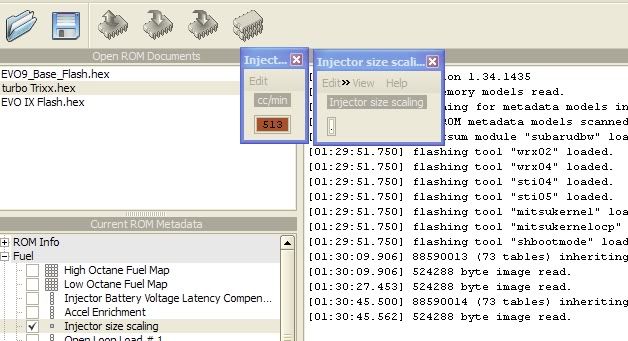

I got that, passed that part. It was an issue with my ZIP. I wasn't even able to open the file, now I can.
Thanks for the tip.